Guide
Update your pet's tag details.
Your Willo tag links to a live profile page — and you can update all of your pet's details yourself, anytime, in under a minute. No app, no reprint, no new tag. Just follow the six steps below.
Before you start: you'll need the PIN printed on the thank-you card that came with your order. If you can't find it, reply on the WhatsApp chat we used to confirm your order (or DM @willo.sg on Instagram) with your pet's name and we'll resend it.
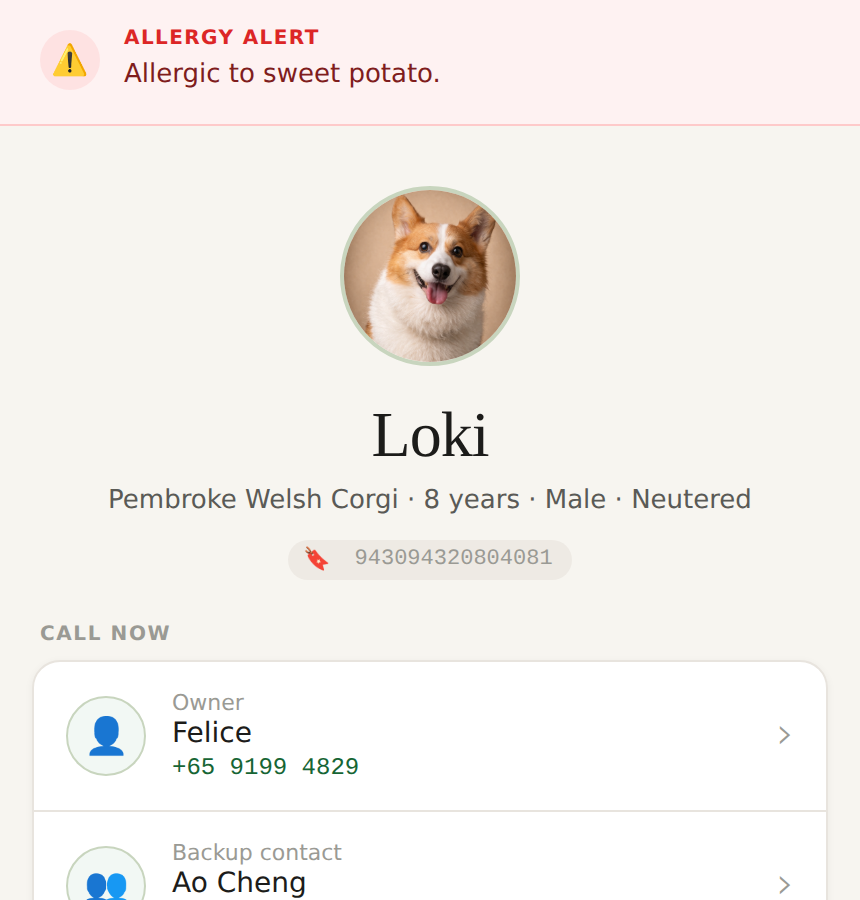
Open your pet's profile
Tap your Willo tag against the back of any smartphone, or open the link on your thank-you card (willo.sg/tag/?id=yourpet). Your pet's profile loads straight in the browser — nothing to download or install.
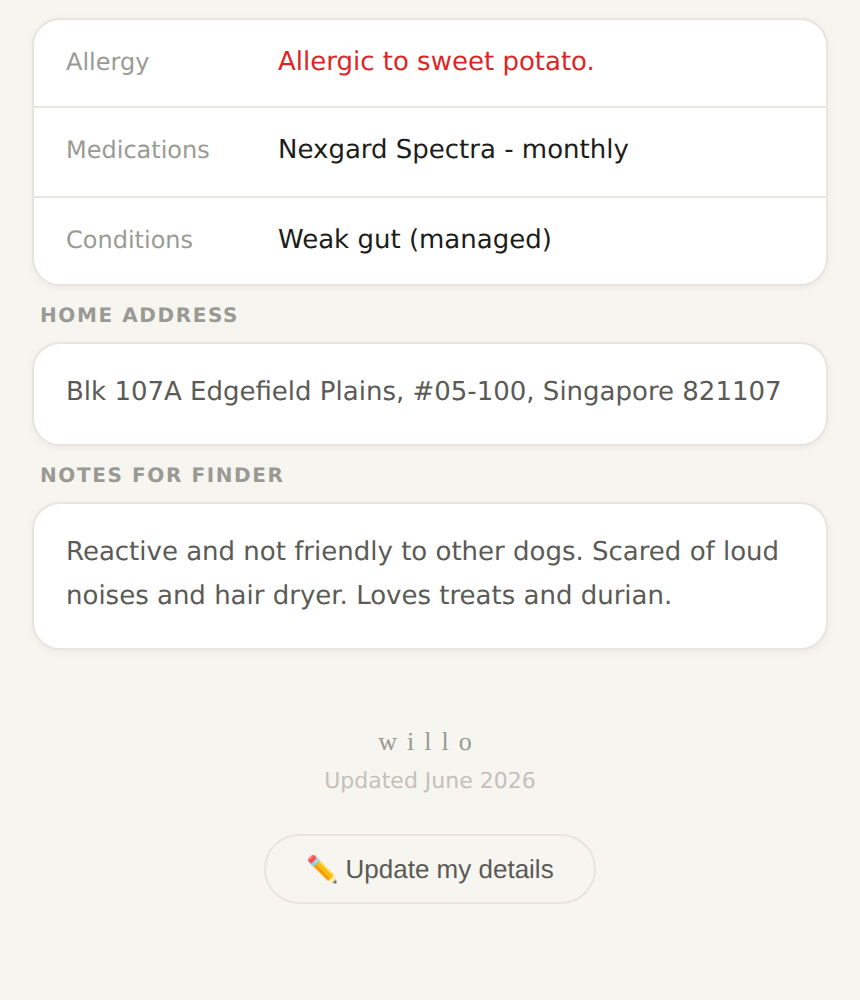
Scroll down and tap "Update my details"
It's right at the bottom of the profile, just under the Willo logo.
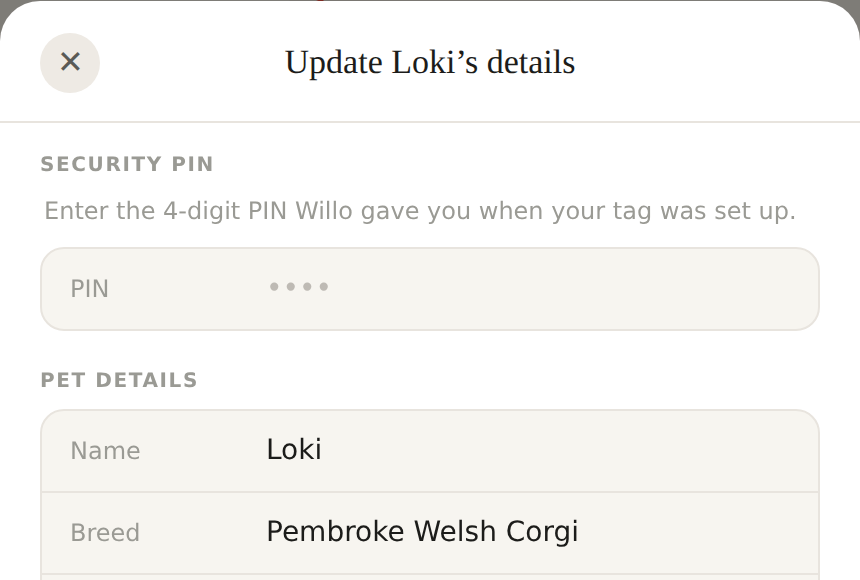
Enter your PIN
A panel slides up showing everything currently saved. Enter the PIN from your thank-you card at the top — you'll need it again when you save, so it's fine to fill it in early.
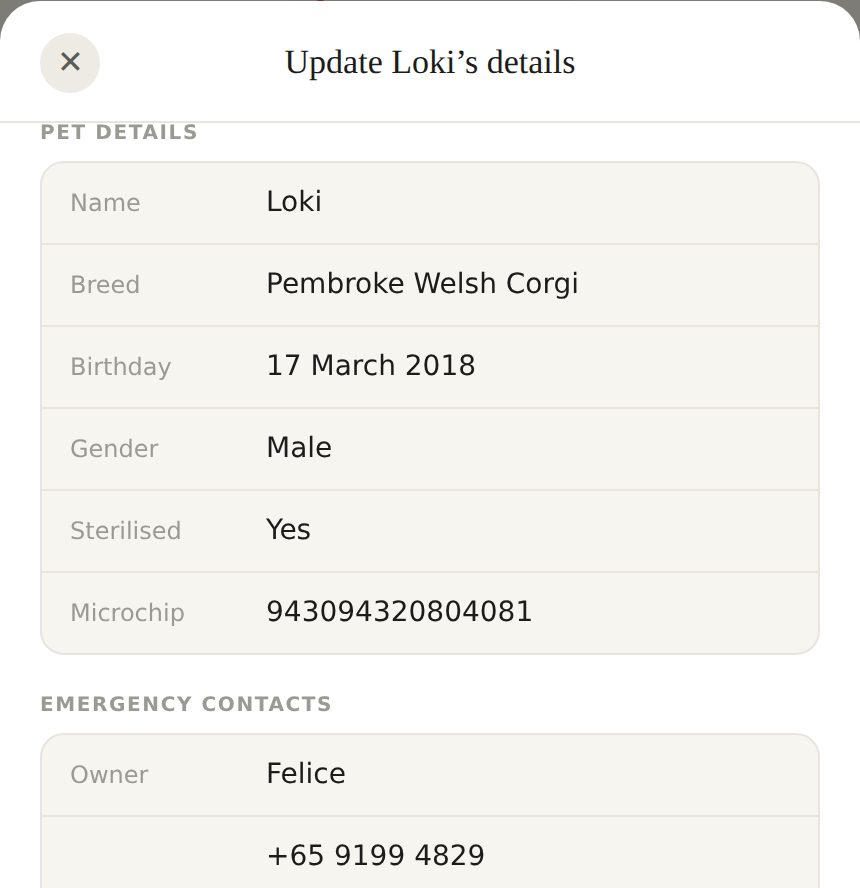
Edit any of your information
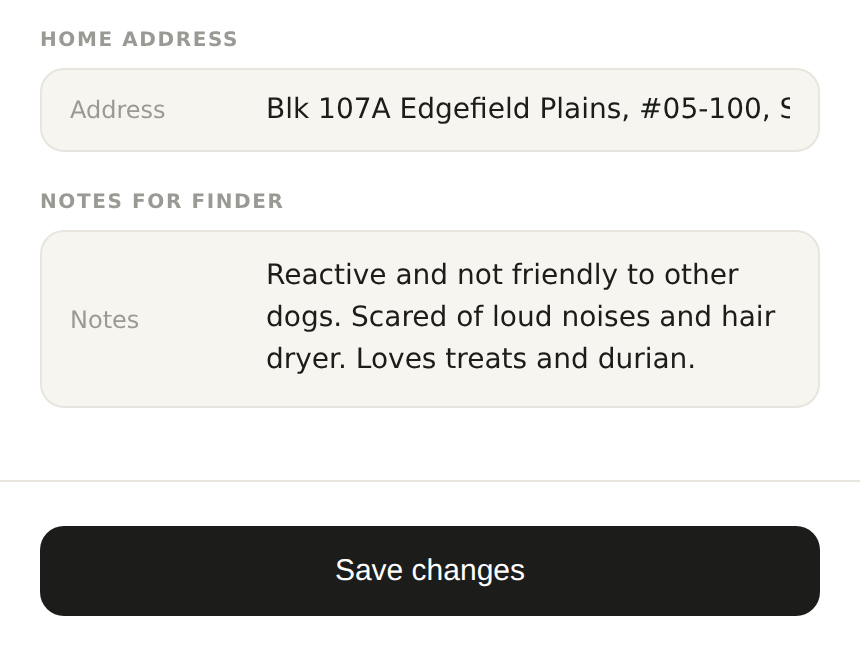
Your pet's name, breed, birthday, gender, microchip number and sterilisation status, plus emergency contacts, allergy details, medications, home address, and notes for whoever finds your pet — everything is pre-filled with what's currently saved, so you only need to touch what's changed.
Tap "Save changes"
It's at the very bottom of the panel.
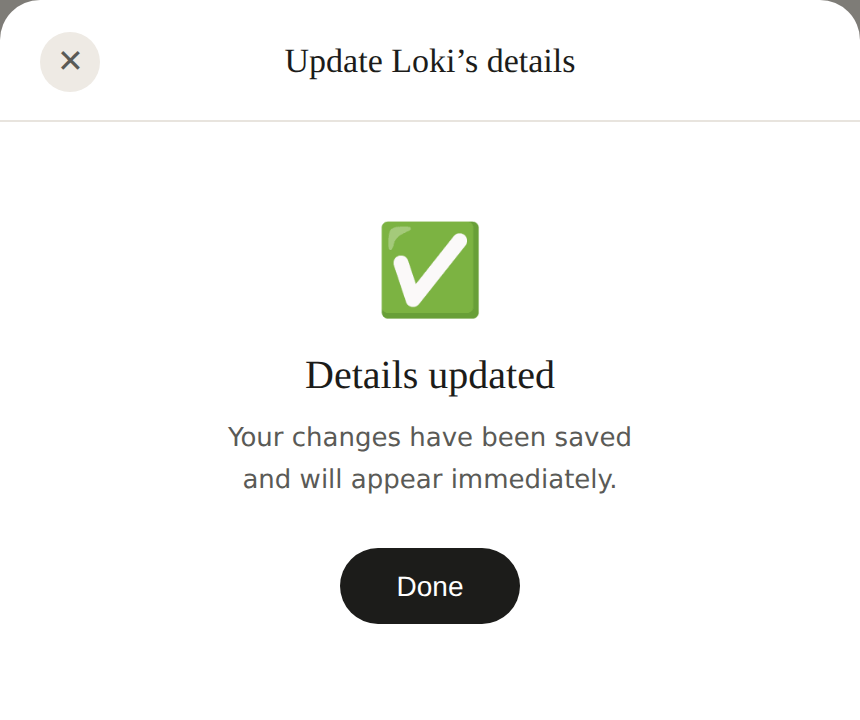
Done
You'll see a confirmation, and your tag updates immediately. The link itself never changes, so there's nothing to reprint or reorder — ever.
The only thing that's fixed: the printed tag
Every detail on your pet's profile can now be updated by you — just follow the steps above. The one thing that can't be changed remotely is the tag's printed artwork: your pet's portrait, and their name as printed on the tag, are part of the physical product. Editing your profile updates all the digital details instantly, but the portrait and name printed on the tag itself stay as they were made. If the printed artwork ever needs correcting, reply on the WhatsApp chat from your order confirmation, or DM @willo.sg on Instagram, and we'll sort it out.
Common questions
Reply on the WhatsApp chat from your order confirmation, or DM us on Instagram (@willo.sg), with your pet's name and we'll resend it. For security, we won't send a PIN over email.
Yes — every detail on your pet's profile is editable by you, including their name, breed, birthday, gender, microchip number and sterilisation status, alongside emergency contacts, medical info, home address and notes. Just follow the steps above. The only thing that stays fixed is the artwork printed on the physical tag — the portrait and the name printed on it.
No. Everything — tapping the tag, viewing the profile, and editing details — happens in your phone's normal browser.
Try opening the link on your thank-you card directly instead. On Android, check that NFC is switched on in your phone's settings. On iPhone (XS and later), NFC tag reading works automatically — try holding the top of the phone, just above the camera, against the tag.
The tag itself doesn't change — it's just a link. Your edits update the profile page that the tag points to, instantly, so anyone who taps it afterwards sees the latest information.
Not yet from the profile page itself. Reply on your order's WhatsApp chat or DM @willo.sg on Instagram and we'll update it for you.
Still stuck? We're happy to help directly.
Contact Willo →